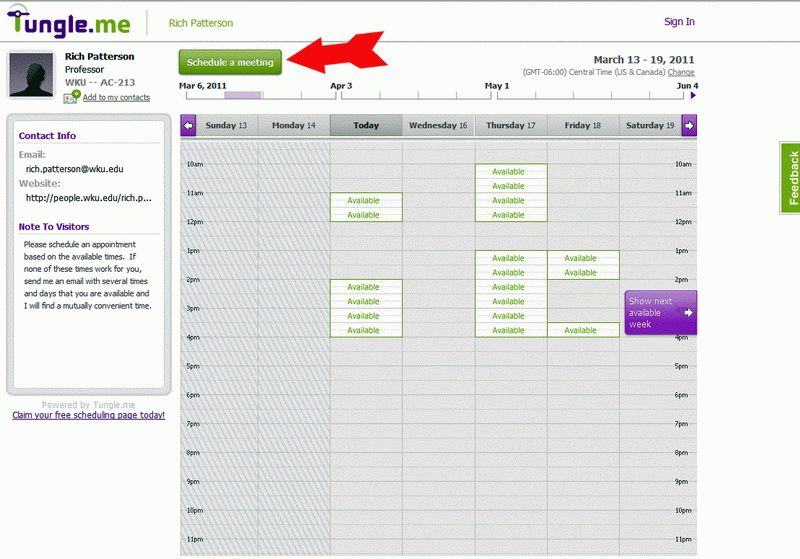
First, this is just a tutorial to show you how to make an appointment, you will go to http://tungle.me/richpatterson to make the actual appointment. First, DO NOT use a cell phone or iPad to make your appointment -- you must use a computer. When you go to the appointment page, the screen will look something like the picture below only it will show my current availability for the days that interest you. When making the actual appointment, you will click on the green "Schedule a Meeting" button on the top left of the calendar. Note: When you make an appointment, you will receive an email asking you to "Confirm Your Email Address" -- You don't have an appointment/meeting until you complete this step!!! My office is AC-209C.
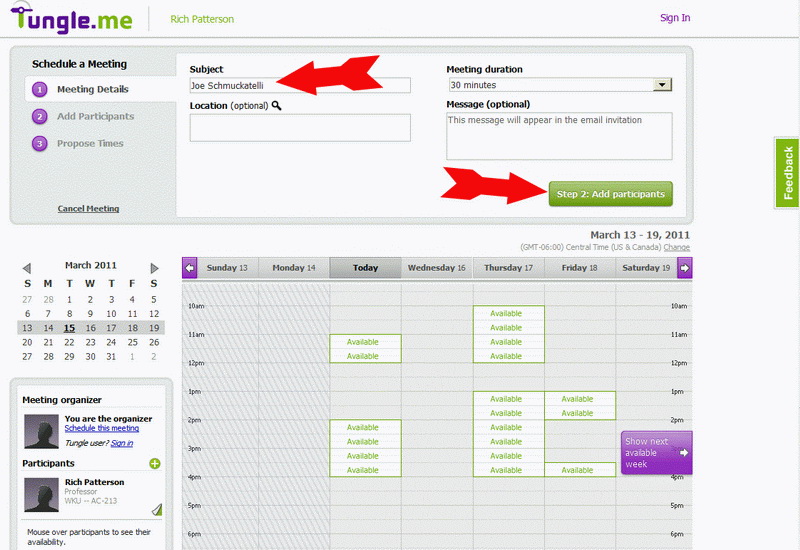
Type your name in the "Subject" line then click the green button "Step 2: Add participants"
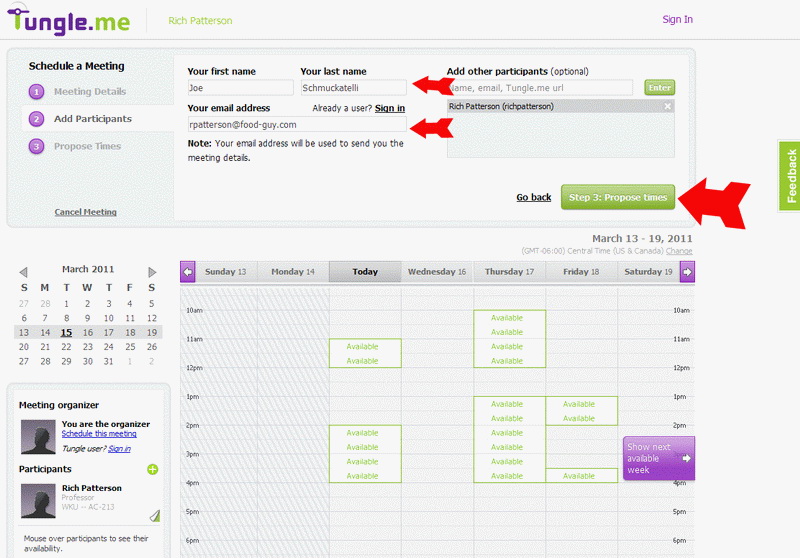
Type in your first and last name and your email address. Be sure your email address is entered correctly. Then click "Step 3: Propose times".
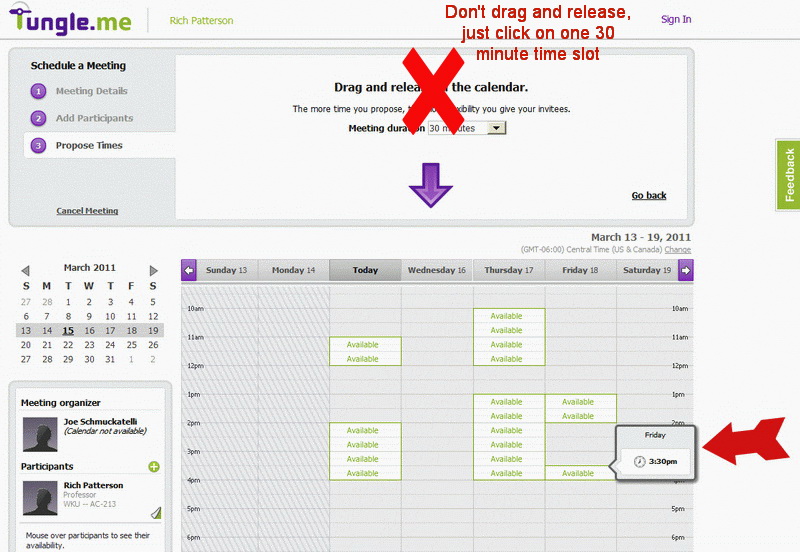
"Mouse over" the available times and click when the day and time you want is displayed (it says to "drag and release in the calendar" but just click). Only select ONE 30-minute time slot -- the website suggests that you select multiple time slots -- DON't!!
After you complete the step above, the you will see a page like the following with the time slot you selected, highlighted. Just click "Create Invitation" don't propose any additional time slots.
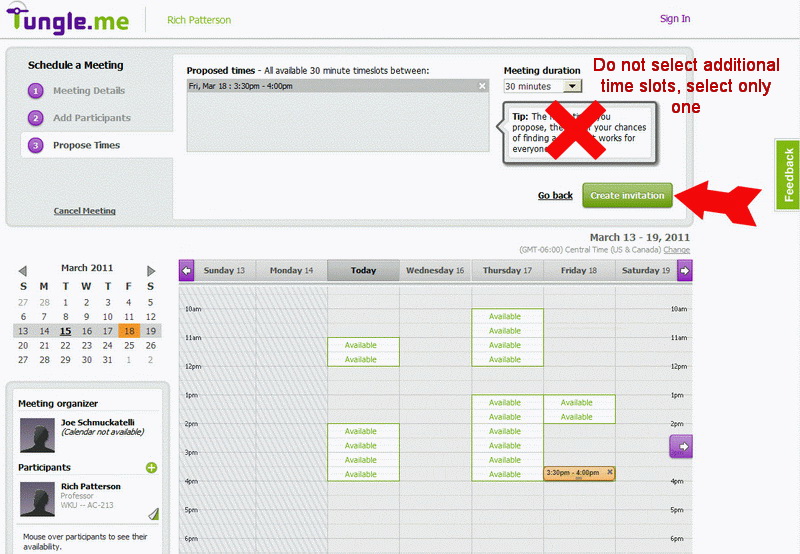
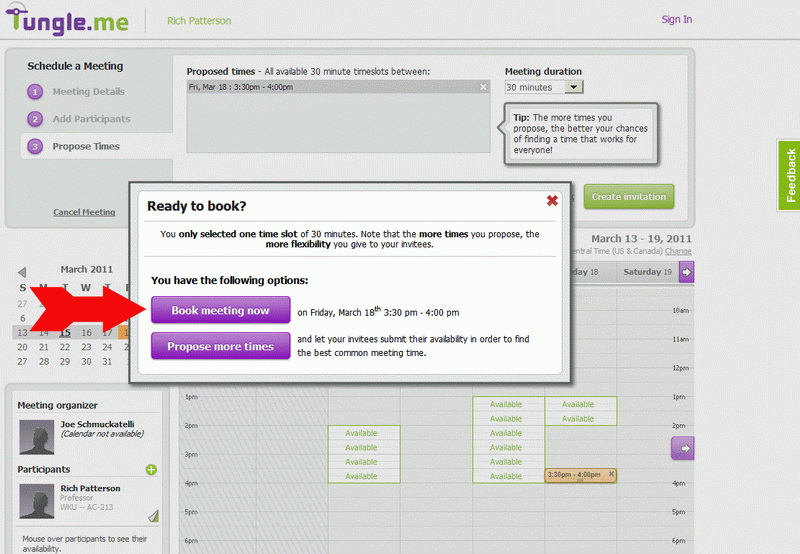
Click "Book Meeting Now"
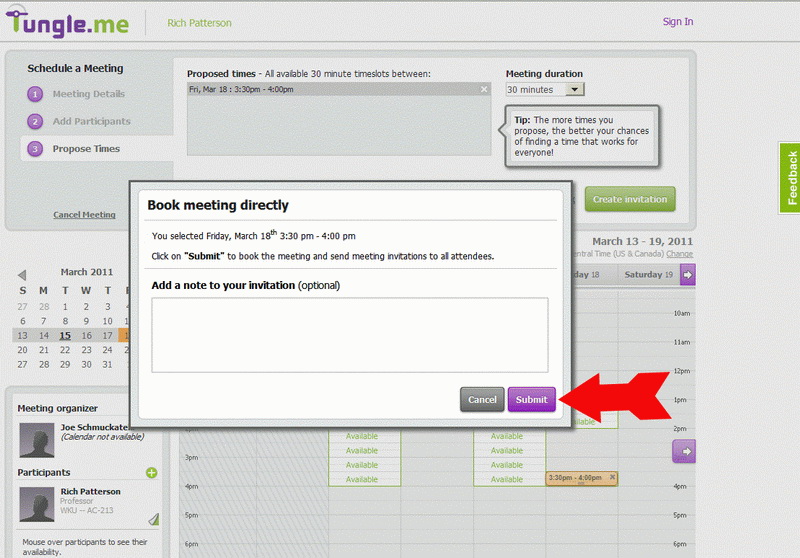
Add a comment if necessary -- no comment is required though. Click "Submit".
This page tells you that you are not done yet -- keep going -- you must check your email now to complete the next step!
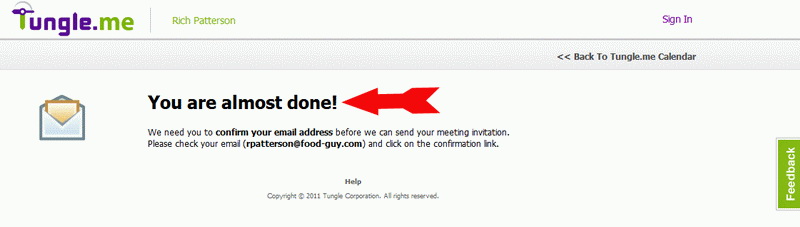
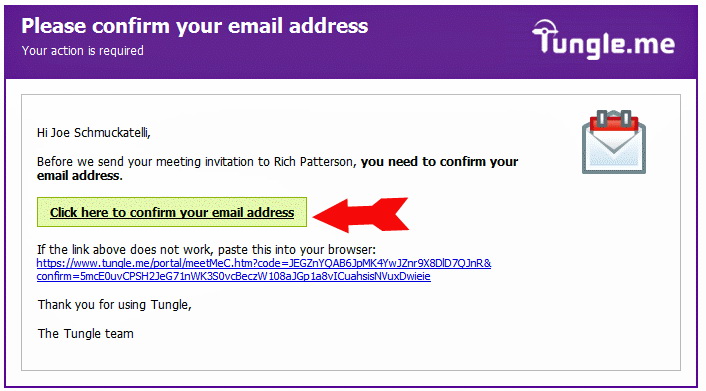
You do not have an appointment until you complete this last step. You will receive an email message at the email address you entered earlier. When you get this email, you MUST click on "Click here to confirm your email address". You will want to do this right away so someone else doesn't beat you to the time slot.
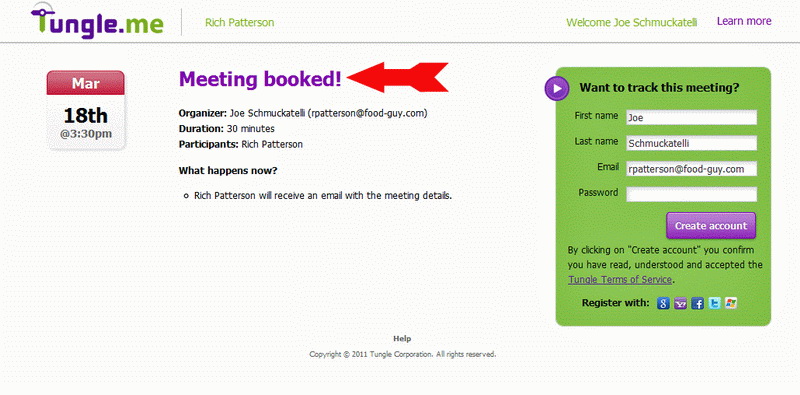
After you confirm your email address, you will see this webpage.
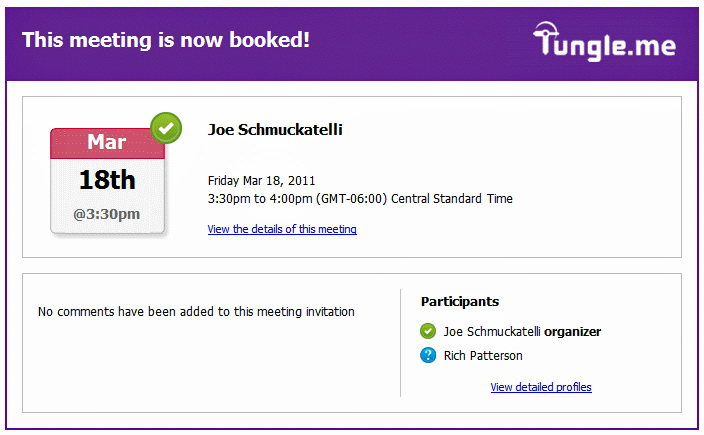
You will also receive an email message similar to this.
Click this button to schedule a meeting/appointment now.
If you need to change your appointment, please email me as soon as possible so I can clear out the original time you selected.
 E-Mail:
rich.patterson@wku.edu
E-Mail:
rich.patterson@wku.edu